Open source · MIT

Track your lifts.
Own your data.

A mobile-first gym workout tracker with built-in AI coaching, self-hosted on your own AWS account. No SaaS, no subscriptions, no one else holding your training history.

Next.js 16 · AWS Cognito · DynamoDB · 4 swappable AI providers

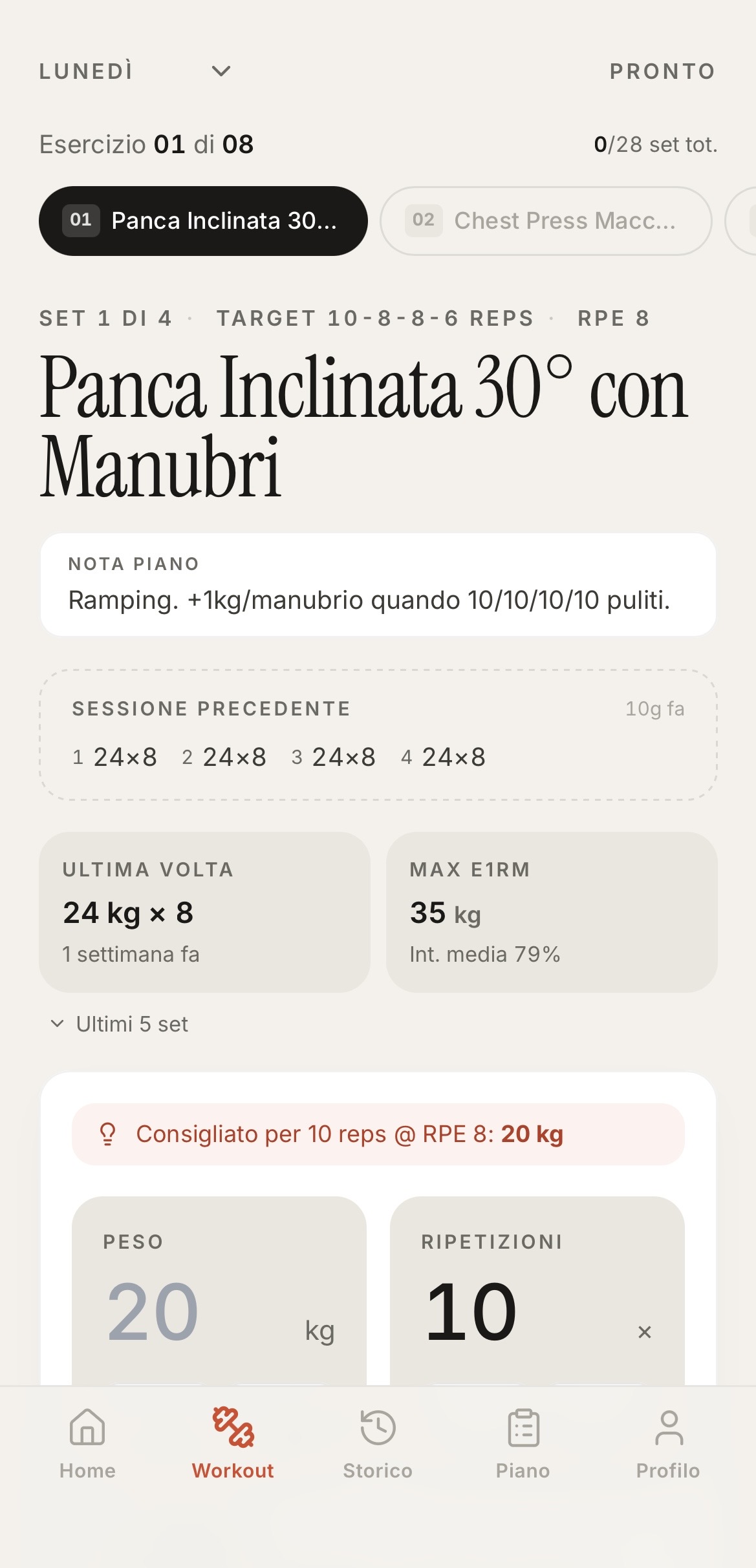
Workout screen — logging a set of incline dumbbell press, with prior session reference and suggested working weight.
What it does

Everything you need in the gym, nothing you don't.

  • Live workout logging

    Set, reps, weight, RPE — with a rest timer and per-exercise history right next to the input.

  • Multi-plan scheduler

    Run full-body, push/pull/legs, or whatever split fits the week. Activate one plan, keep the rest as drafts.

  • AI coach

    Per-session debriefs and weekly volume reviews. Pick the model: Bedrock, Gemini, OpenAI, Anthropic, or off.

  • Body map & charts

    Weekly muscle-group coverage, volume and intensity trends, a 2-week activity heatmap.

  • History that's actually useful

    Drill into any past session, edit a stray set, or open an exercise to see every rep you've ever logged for it.

  • Bilingual UI

    Italian and English, switchable from the profile. AI coach replies follow the same language setting.

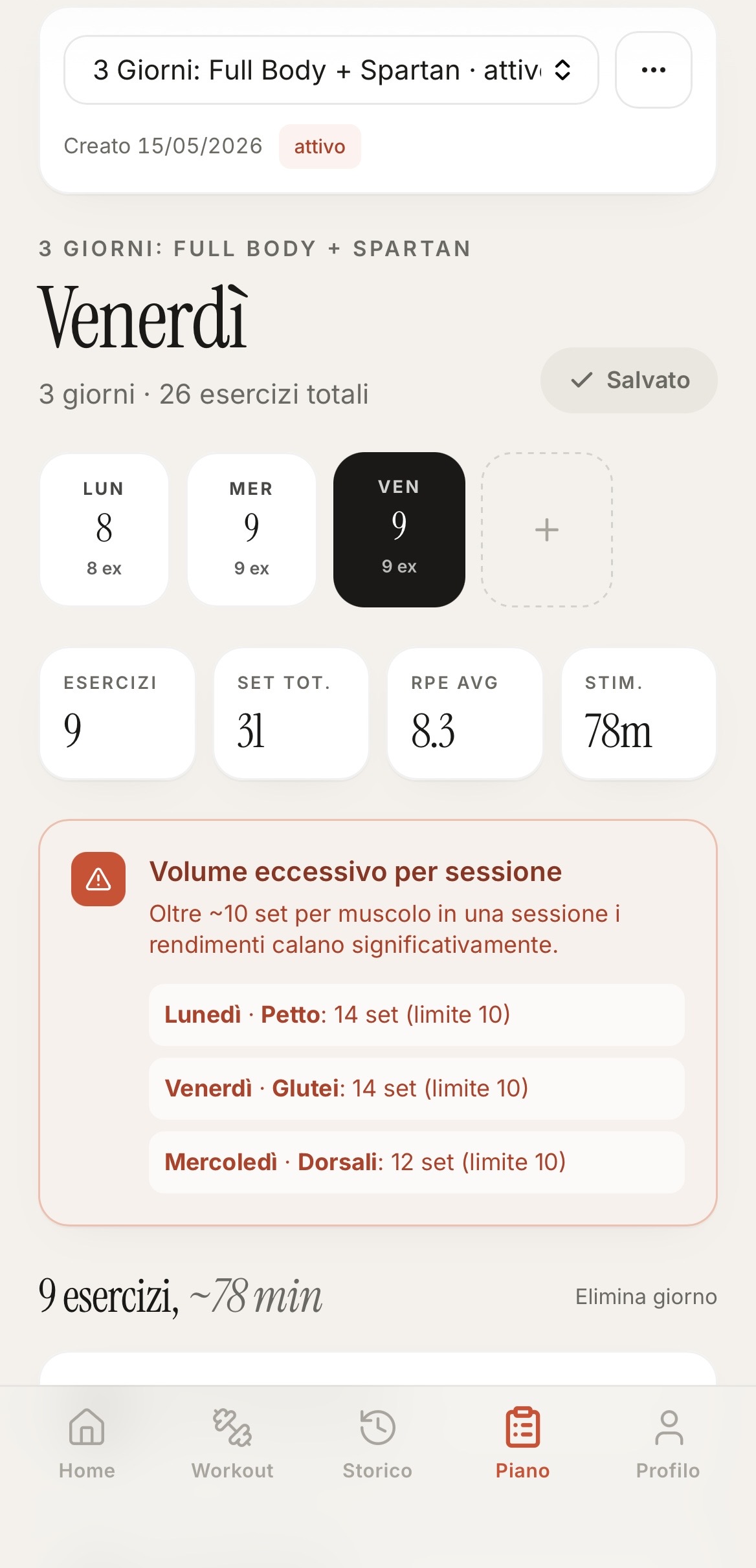
Plan editor showing a 3-day full-body plan with a volume-overload warning highlighting per-muscle set caps.

Plan editor with volume guardrails

Schedule the week, then let the app flag when you've stacked too many sets on one muscle group. The 14-set chest day above lights up because it's over the configured limit — tunable per muscle from your profile.

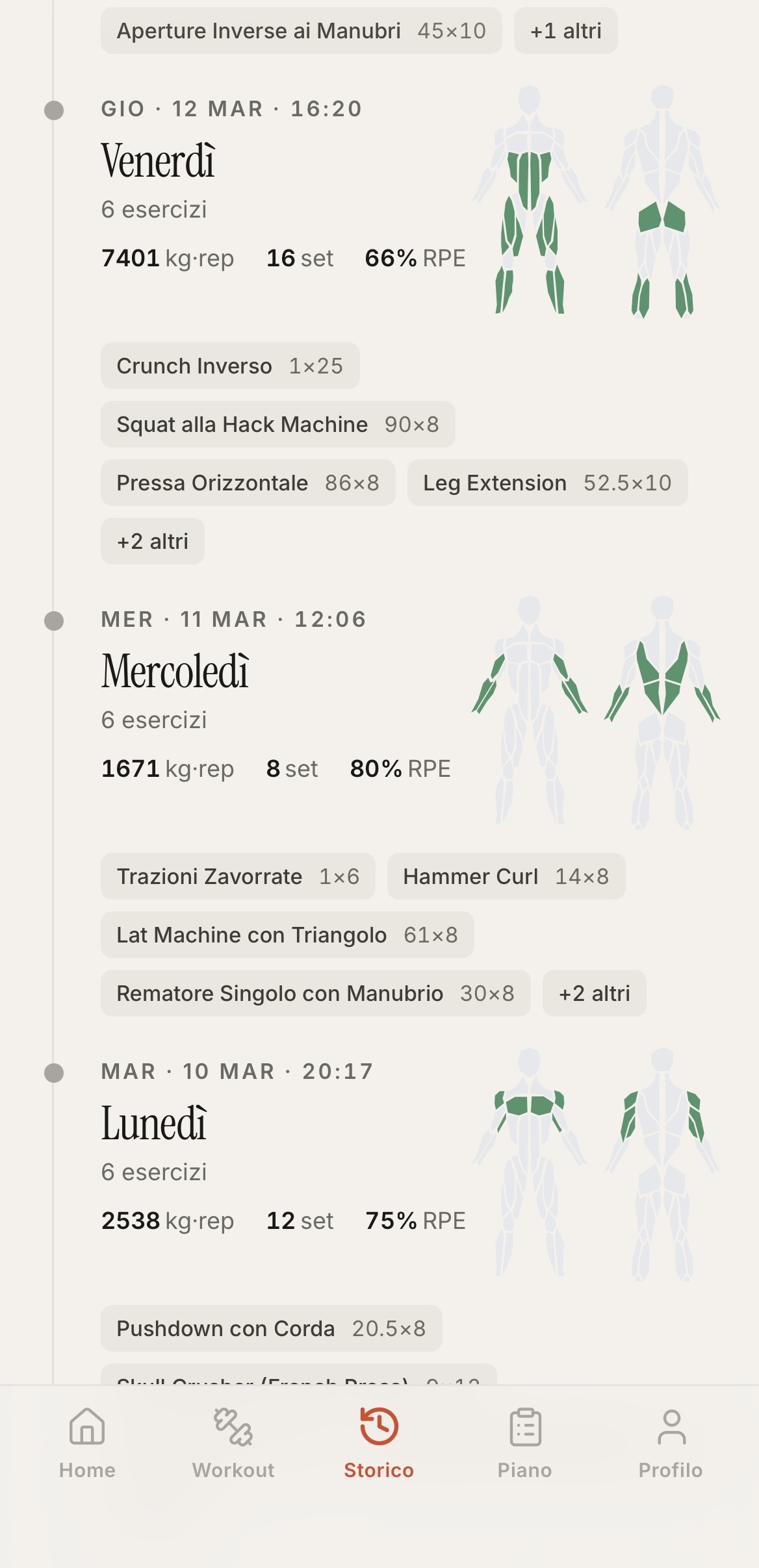
History feed of past sessions, each annotated with the muscles worked drawn on a body map and totals for sets, volume, and RPE.

History that explains itself

Every past session shows up with the muscles you actually worked rendered on a body map. Sets, total kg-rep volume, average RPE — enough to know how the week went without opening a single record.

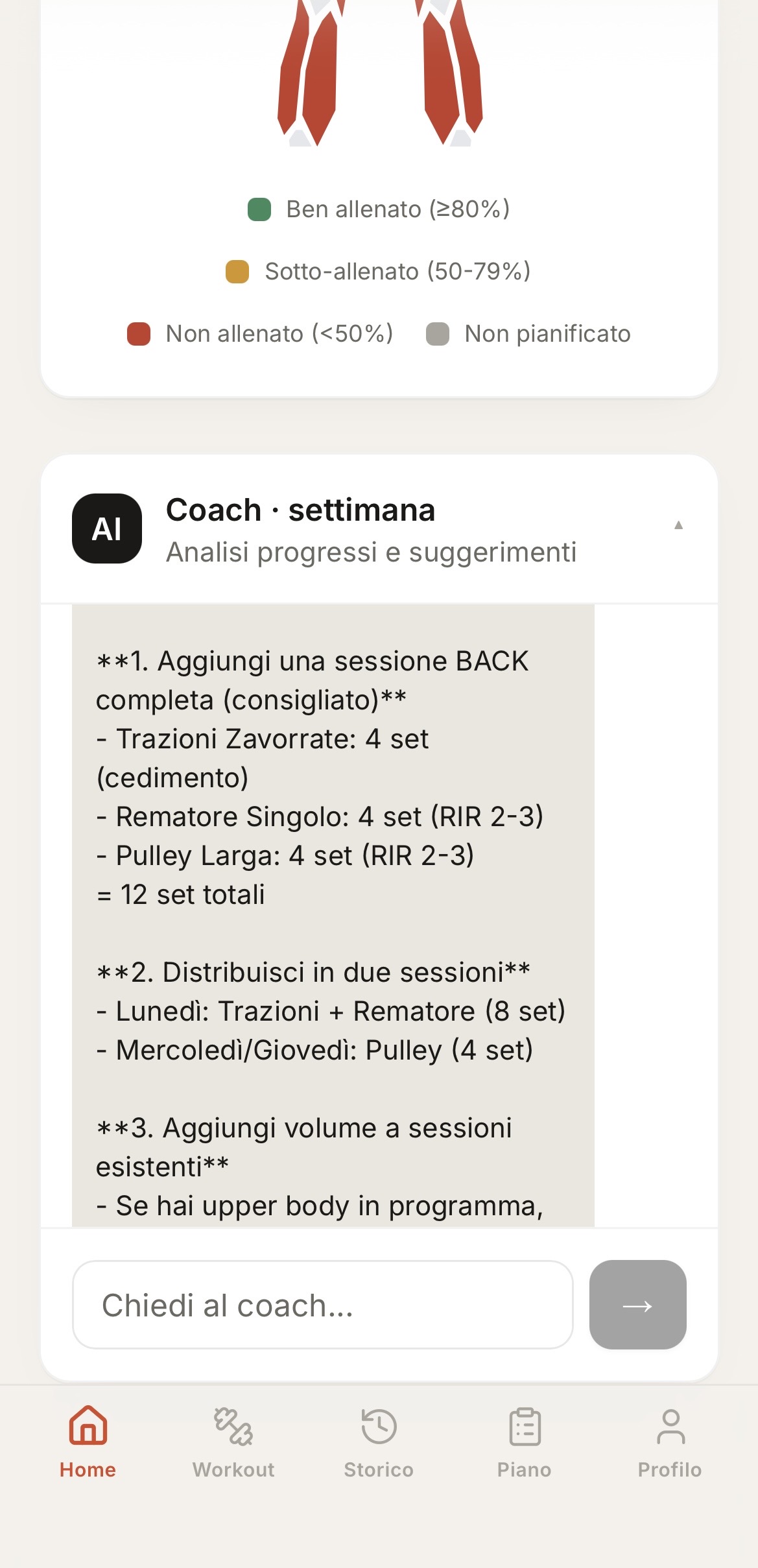
AI coach weekly review listing specific recommendations — add a back session with 12 sets distributed across two days.

An AI coach that does the math

The weekly review reads your real volume against the plan and writes back specific moves: "add 12 back sets, split between Monday and Wednesday, here's the breakdown." Same prompt across Bedrock, Gemini, OpenAI, or Anthropic.

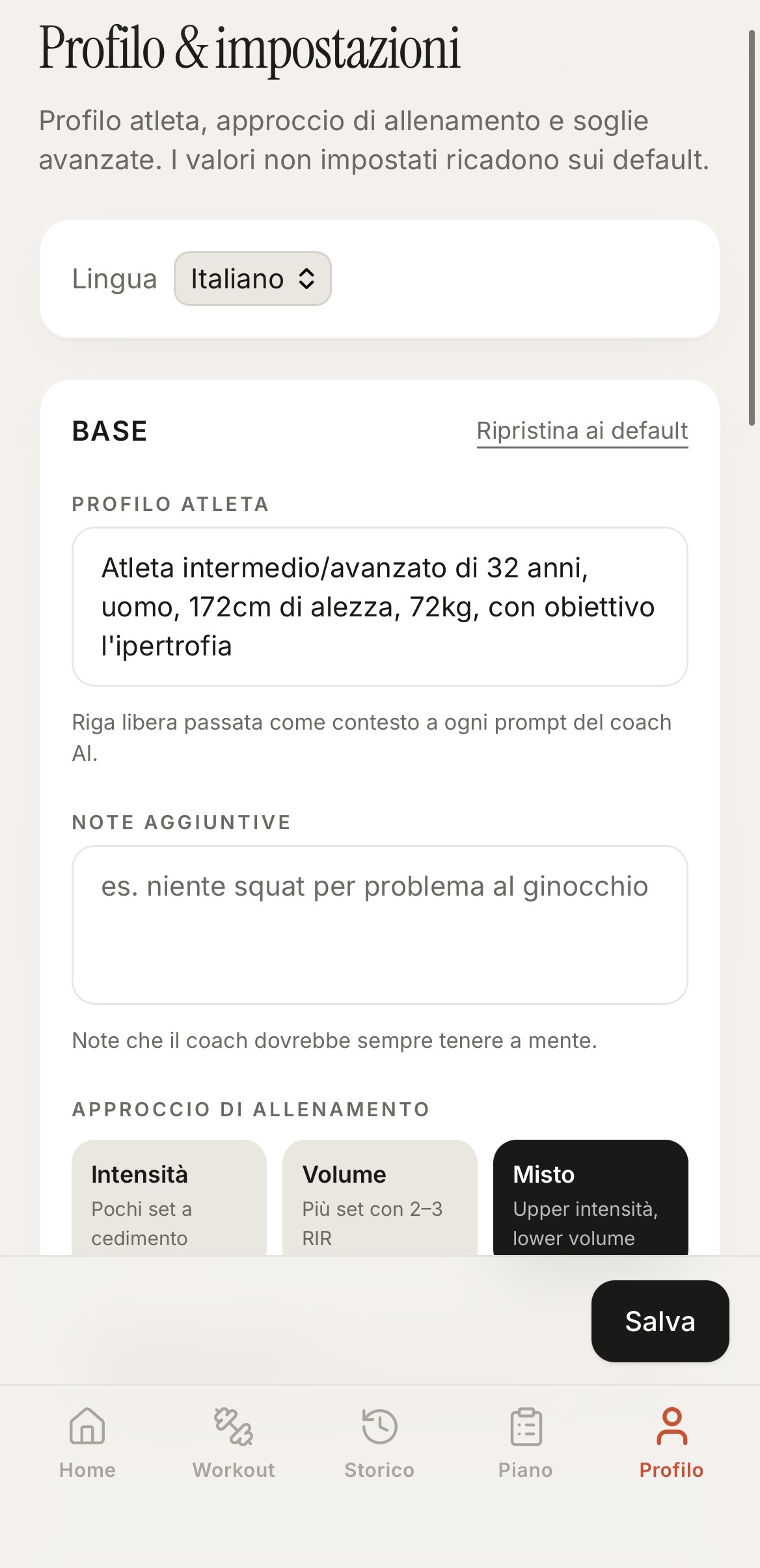
Profile page with an athlete description free-form field, an additional-notes field, and a training-mode selector.

Profile that personalises the coach

Your athlete description and free-form notes are pasted verbatim into every coach prompt. Tell it once that you're young, yout gender, your goal and how to exclude exercises — every suggestion afterwards respects that.

Behind the build

A few engineering choices, for the curious.

The project is a personal one, but the decisions are documented. Here are the ones that aren't obvious from the README.

Direct DynamoDB, no API Gateway

Next.js server actions talk to DynamoDB through an IAM role bound to the Amplify SSR runtime. One layer less than the typical AWS web stack, same auth boundary — the browser still only sees Next.js endpoints behind a Cognito-validated cookie.

AI provider abstraction

A single generateText dispatcher sits behind four backends. Swap with one env var; prompts stay portable. The coach was rebuilt against Bedrock, Gemini, OpenAI and Anthropic without touching the prompt code.

i18n without a library

A tiny dictionary module typed against a single Dictionary interface — both locales must compile, so a missing translation breaks the build, not production. No URL prefixes, no SSR/CSR mismatches, no runtime negotiation in the hot path.

The coach prompt is yours to shape

The Profile page holds an athlete description and a free-form notes field. Both are pasted verbatim into every AI coach prompt — so the suggestions account for your age, goals, and quirks ("no squats, bad knee") without you re-explaining them every week. No forking, no env-var sprawl: the same row drives the rest of the app.
Stack
Next.js 16 React TypeScript Tailwind Zustand AWS Cognito DynamoDB AWS Amplify AWS SAM Bedrock Gemini OpenAI Anthropic
Deploy your own

From fork to live app in about ten minutes.

  1. 1. Fork the repo

    Clone your fork locally. The infra and the web app live in the same tree.

  2. 2. sam deploy --guided

    One SAM template provisions a Cognito user pool, 5 DynamoDB tables, the runtime IAM policy, and the compute role for Amplify SSR.

  3. 3. Connect Amplify

    Point Amplify at your fork, paste the six env vars from the SAM outputs, bind the compute role, deploy.

  4. 4. Open /setup

    First login on an empty stack lands on the setup wizard: two clicks seed ~27 default exercises (in your language) and a 2-day starter plan you can edit from there.

Read the full guide → Every step is documented in the repo README — IAM bindings, env vars, the lot.